Enable Digital Twins
Grant consent in the dashboard before creating digital twins through the API
Digital twins replicate a real person's likeness and voice, so before you can create them through the API, an organization admin must grant consent in the dashboard. This is a one-time confirmation that applies across every project in your organization.
Until consent is granted, POST /public/digital-twins returns a DigitalTwinConsentRequired error. Only an organization admin can grant consent.
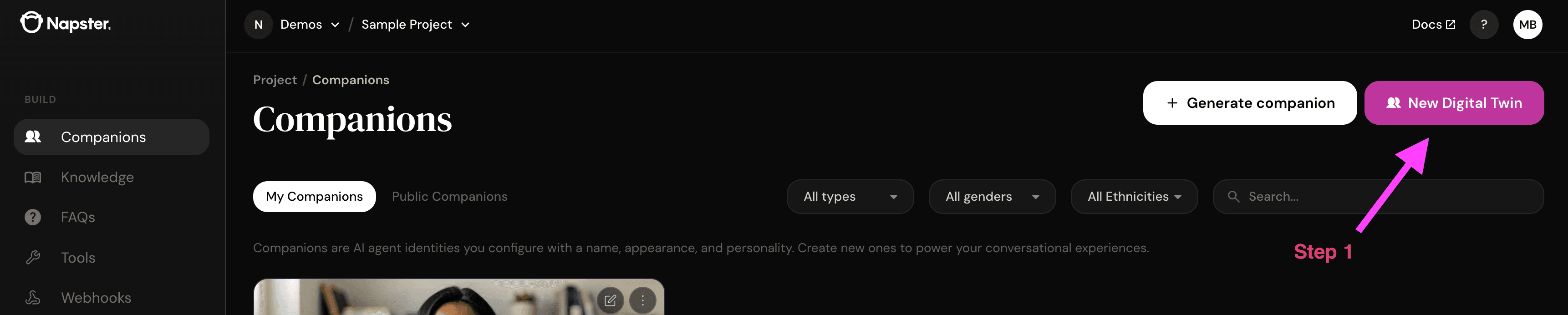
The consent dialog is reached by starting a new digital twin in the dashboard. You don't have to finish creating one — once you agree, consent is granted and you can close the flow.
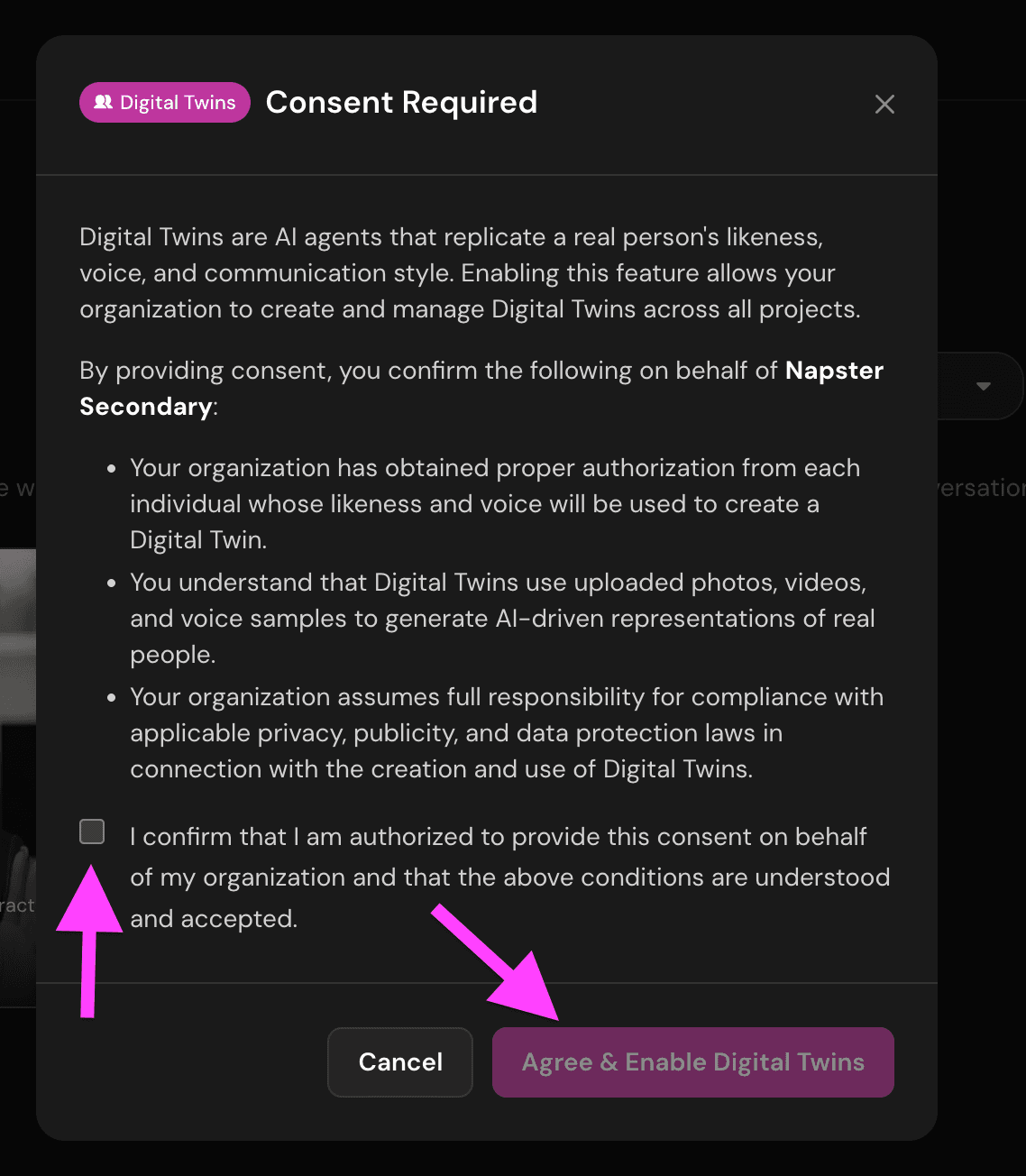
Agree to the consent terms
In the Consent Required dialog, check the confirmation box and click Agree & Enable Digital Twins.
Once consent is granted, POST /public/digital-twins works for everyone in your organization.
Next steps
- Digital Twins — create a digital twin through the API